
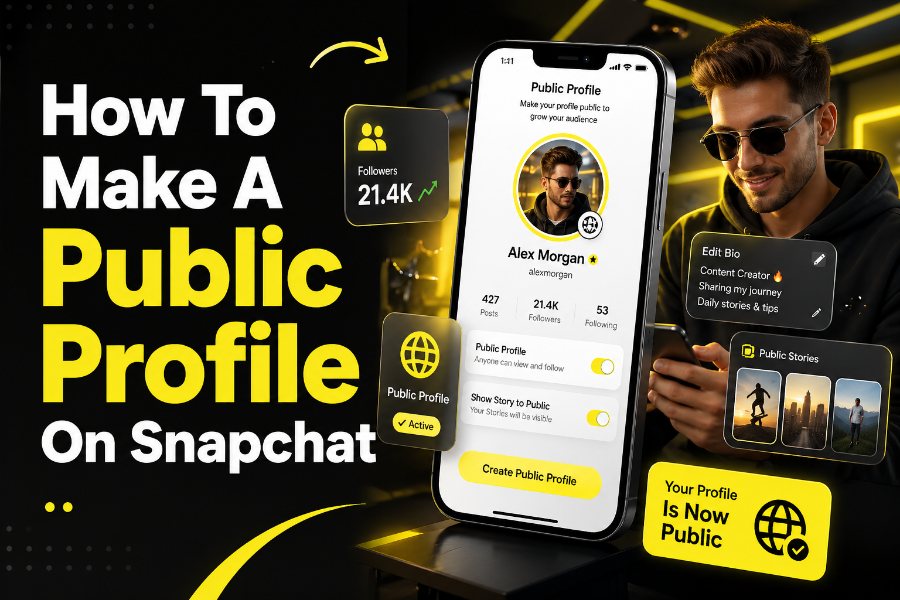
Creating a public profile on Snapchat can unlock visibility, growth, and new opportunities beyond your friends list. You gain access to features like subscriber counts, Spotlight visibility, and profile analytics. This guide shows you exactly how to create, optimize, and troubleshoot your Snapchat public profile with clarity and precision.
What A Snapchat Public Profile Really Means
A Snapchat public profile allows you to be discovered by people who are not in your friends list. It acts as a permanent profile page where your content lives beyond 24-hour stories. This setup is especially useful if you want to build an audience, promote a brand, or grow influence.
When you create a public profile, your snaps can appear in search and Spotlight recommendations. You also gain tools like subscriber counts and public stories. This transforms Snapchat from a private messaging app into a content platform for growth.
Many users overlook this feature because it is not enabled by default. However, understanding how it works helps you leverage Snapchat more strategically. This is where your journey toward visibility begins.
Requirements To Get A Public Profile
Not every Snapchat account automatically qualifies for a public profile. Snapchat has eligibility rules that ensure only appropriate users gain access. These rules are designed to maintain safety and content quality.
You must be at least 16 years old and located in a supported region. Your account must also consistently follow Snapchat’s community guidelines. Violations can delay or remove your eligibility entirely.
Sometimes, the option does not appear even if you qualify. In such cases, updating your birthdate or waiting for your account to mature may resolve the issue. According to Snapchat, it may restrict access if account details are incomplete or inconsistent.
Step By Step Guide To Create A Public Profile
Creating a public profile is straightforward when you follow the correct steps. Open Snapchat and tap your Bitmoji or profile icon in the top-left corner. Scroll down until you see “Public Profile” or “Create Public Profile.”
Follow the prompts to confirm your decision. Snapchat will guide you through a quick setup process that activates your profile. Once completed, your public profile becomes visible to a wider audience.
While exploring profile visibility, some users also look for tools like a free snapchat story viewer to understand how public stories appear externally, which can help you better structure your content strategy.
How To Customize Your Public Profile
After creating your profile, customization becomes your next priority. A well-optimized profile increases engagement and credibility. It also improves how users perceive your content instantly.
Start by adding a clear profile photo and a compelling bio. Your bio should explain who you are and what people can expect from your content. Keep it concise but informative.
For deeper insights into story behavior, many creators explore features like a snapchat history viewer to understand how viewers interact with content over time. This awareness helps you refine your content approach effectively.
Key Elements To Optimize
- Profile picture: Use a high-quality and recognizable image
- Bio: Clearly state your niche or purpose
- Highlights: Save your best stories for long-term visibility
These elements work together to build a strong first impression.
Why You Might Not See The Public Profile Option
If you cannot find the public profile option, you are not alone. Many users face this issue due to eligibility restrictions or account settings. Understanding the cause helps you fix it faster.
Your account age plays a major role in access. New accounts may need time before the feature becomes available. Additionally, missing profile details, such as a birthdate, can prevent activation.
Some users also explore visibility-related tools like a private snapchat viewer to understand privacy boundaries, which highlights how Snapchat controls access to content based on account settings.
Benefits Of Having A Public Profile
A public profile turns Snapchat into a growth-focused platform. You can attract subscribers instead of just friends. This expands your reach significantly.
You also gain access to insights and analytics. These metrics help you understand what content performs best. This allows for smarter decision-making.
For businesses, this feature acts as a digital storefront. You can link products, promote services, and build brand identity effectively.
How Public Profiles Help With Content Growth
Public profiles make your content discoverable beyond your immediate network. Snapchat’s algorithm promotes engaging content through Spotlight and recommendations. This increases your chances of going viral.
Consistency plays a key role in growth. Posting regularly improves visibility and keeps your audience engaged. High-quality content always performs better than random uploads.
When used correctly, your profile becomes a growth engine. It supports long-term audience building and brand development.
Tips To Optimize Your Snapchat Public Profile
Optimization separates average profiles from high-performing ones. You need to focus on clarity, consistency, and engagement. These factors influence how users interact with your content.
Use storytelling techniques in your snaps. People connect more with relatable and engaging content. This keeps them coming back for more.
Experiment with formats like short videos and interactive snaps. These formats tend to perform better on Snapchat.
Common Mistakes To Avoid
Many users create a public profile but fail to optimize it properly. This limits their growth potential. Avoiding common mistakes can save you time and effort.
Do not leave your bio empty or vague. A weak bio reduces credibility instantly. Always provide clear information about your content.
Avoid inconsistent posting schedules. Irregular activity makes it harder to build a loyal audience.
Public Profile Vs Private Profile
Understanding the difference between public and private profiles is essential. A private profile limits your content to friends only. A public profile opens it to a global audience.
Public profiles allow followers and subscribers. Private profiles rely on friend requests. This changes how your content spreads.
Choosing the right profile type depends on your goals. If growth is your focus, public is the better option.
How Businesses Use Snapchat Public Profiles
Businesses use public profiles to connect with younger audiences. Snapchat’s user base is highly engaged and active. This makes it ideal for brand visibility.
Brands can share behind-the-scenes content, promotions, and updates. This builds trust and authenticity. It also strengthens customer relationships.
Public profiles also support advertising strategies. Businesses can combine organic content with paid campaigns for better results.
Advanced Features Of Public Profiles
Public profiles offer more than basic visibility. You get access to advanced tools that enhance performance. These features help you scale your presence.
Highlights allow you to save important content permanently. This ensures your best snaps remain accessible. It also improves profile quality.
Analytics provide insights into audience behavior. This helps you refine your content strategy over time.
How To Maintain And Grow Your Audience
Growth requires consistency and strategy. You need to keep your audience engaged regularly. This builds trust and loyalty over time.
Respond to messages and interact with followers. Engagement strengthens your relationship with your audience. It also improves visibility.
Track performance and adjust your content accordingly. Data-driven decisions lead to better results.
Conclusion
Creating a public profile on Snapchat is one of the smartest moves you can make if you want visibility and growth. It transforms your account into a platform for content discovery, audience building, and brand development. By following the right steps, optimizing your profile, and avoiding common mistakes, you position yourself for long-term success.
Focus on consistency, quality, and engagement to maximize your results. A well-managed public profile can open doors to opportunities you may not expect. With the right approach, Snapchat becomes more than just a messaging app—it becomes a powerful growth tool.
FAQs
How do you make a public profile on Snapchat step by step?
To make a public profile on Snapchat, open your profile, scroll to “Public Profile,” and tap “Create Public Profile.” Follow prompts, confirm details, and publish. Once activated, you can customize your bio, add highlights, and start sharing content publicly.
Why can’t I create a public profile on Snapchat?
You may not see the public profile option if your account does not meet Snapchat’s requirements. You must be at least 16 years old, follow community guidelines, and have an account in a supported region with complete profile information like your birthday.
What are the benefits of having a Snapchat public profile?
A Snapchat public profile allows you to reach users beyond your friends list. You gain subscribers, analytics, and discoverability through Spotlight. It also helps you build a personal brand, grow an audience, and create long-term visibility for your content.
Can anyone view my Snapchat public profile?
Yes, anyone on Snapchat can view your public profile once it is created. Your public stories, highlights, and profile details become visible to a wider audience. However, private messages and personal chats remain restricted to your approved friends only.
Is a Snapchat public profile free to create?
Yes, creating a public profile on Snapchat is completely free. You do not need to pay to access the feature. Once eligible, you can set up your profile and start growing your audience without any subscription or hidden charges.
How do you optimize your Snapchat public profile for growth?
To optimize your Snapchat public profile, use a clear profile picture, write a strong bio, and post engaging content regularly. Save your best snaps as highlights and analyze performance insights to understand what content attracts more viewers and subscribers.
Can businesses use Snapchat public profiles?
Yes, businesses can use Snapchat public profiles to promote products, connect with audiences, and build brand awareness. They can share updates, run campaigns, and link services, making Snapchat a powerful platform for digital marketing and audience engagement.
What is the difference between a public and private Snapchat profile?
A public Snapchat profile allows anyone to view your content and follow you, while a private profile limits access to friends only. Public profiles support discoverability and growth, whereas private profiles focus on personal communication and restricted sharing.
How long does it take to get a public profile on Snapchat?
Creating a public profile on Snapchat usually takes only a few minutes if you meet eligibility requirements. Once you follow the setup steps, your profile becomes active immediately, allowing you to start sharing public content without delays.
Can you delete or switch off your Snapchat public profile?
Yes, you can delete or disable your Snapchat public profile anytime through your profile settings. This removes your public visibility and returns your account to a private state, giving you full control over your content and audience access.